New on Givetastic: Multiple Recipient Collections

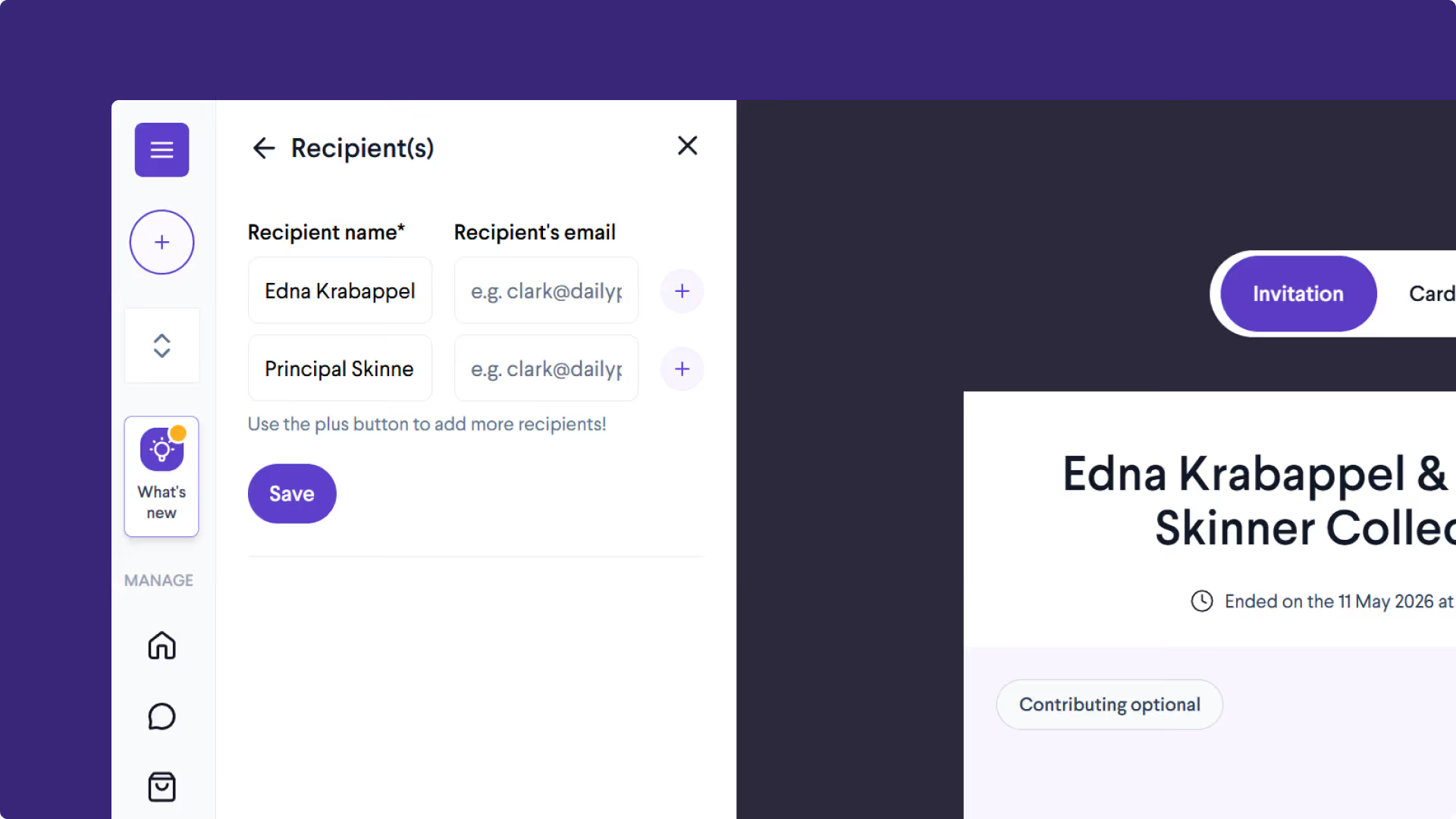
1190409096
Organising A Gift For More Than One Person? Send To Multiple Recipients
Organising a group gift can be a bit of a task. Keeping track of contributions, getting people to sign a physical card, and bundling it all together into something presentable? It’s a labour of love.
That’s where online collections make things much easier.
But when you’re buying for more than one person, things get complicated again. Most platforms only support a single recipient, meaning multiple collections, repeated contributions, and more admin to manage.
Before long, it starts to feel just as awkward as passing around cash and a paper card.
That’s why we’ve introduced our new multiple recipients feature.
You can now create a single collection and split the funds between multiple people - however you choose.
What is the multiple recipients feature?
It’s exactly what it sounds like - when setting up your collection, you can add more than one recipient to your group gift.
When your collection ends, you decide how to split the funds between them. Whether that’s an even split or different amounts for each person.
You can also choose how each recipient receives their share. Send cash to one, a gift card to another, or mix both - whatever suits each person best.
Each recipient gets their own tailored delivery experience, including a shared group eCard and details of their individual gift, without seeing what others received.
When would you use it?
There are plenty of occasions where you’re organising a gift for more than one person. For example:
- Teacher collections - for classes with more than one teacher or teaching assistant.
- Multiple colleagues leaving at the same time.
- Overlapping birthdays within a friend group.
Instead of setting up separate collections, you can now manage everything in one place.
Multiple Recipients Feature Guide
Our new Multiple Recipients feature is split into three simple stages, making it easy to manage group gifting from start to finish.
Part 1 — Setup
Learn how to add multiple recipients to your collection and configure the gift setup.
Part 2 — Spending
See how to split the collection balance across multiple recipients and personalise gifts for each person.
Part 3 — Sending
Discover how to send each gift to its recipient, personalise the delivery page, and choose how the gifts are shared.
Together, these three videos walk you through the complete Multiple Recipients workflow — from setup to final delivery.
Pool money.
Group cards
Send gifts.
Givetastic is the only platform that lets you do it all. Start gifting today!